

How to Use AI Tools for Faster and Smarter Test Case Creation
Introduction
Writing detailed test cases is one of the most important responsibilities in QA—but it can also be time-consuming and repetitive. As software systems grow more complex, manually drafting complete test coverage becomes harder to maintain.
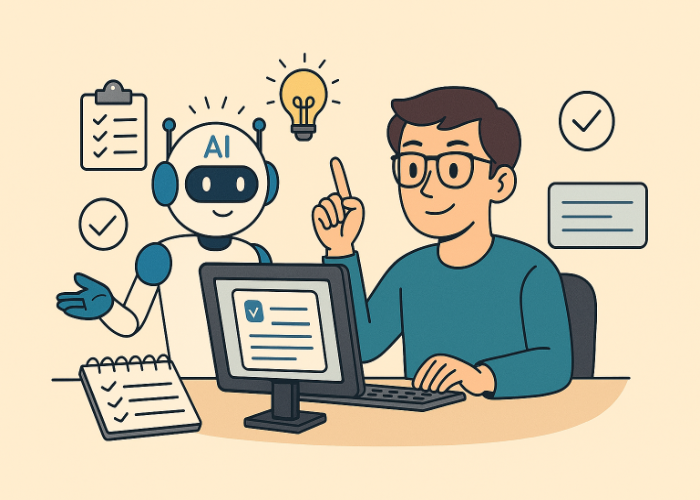
This is where AI tools for test case creation can help. Modern AI systems—including large language models and AI-powered testing platforms—can assist QA engineers in generating structured test cases, identifying edge cases, and improving clarity while keeping humans in control of quality.
In this guide, you’ll learn how to use AI in QA effectively, with practical examples and best practices you can apply immediately.
Why Use AI for Test Case Creation?
AI-assisted test design is not about replacing testers. It reduces drafting effort and accelerates the early stages of test development.
AI tools can help you:
- Generate structured test cases from user stories or requirements
- Identify boundary and edge cases more systematically
- Standardize formatting across your test suite
- Improve clarity in test steps and expected results
Used correctly, AI improves productivity while allowing QA professionals to focus on risk analysis, business logic validation, and exploratory testing.
Where AI Fits in the QA Workflow
The most effective way to use AI in test case creation is within a structured workflow:
- Define scope and risks – Clarify what needs coverage and what could fail.
- Prompt the AI for draft test cases – Request structured outputs.
- Review and validate carefully – Check for incorrect assumptions.
- Finalize with traceability – Add IDs and link to requirements.
AI generates possibilities quickly. Human expertise ensures correctness, feasibility, and proper prioritization.
Example 1: Generating Test Cases from a User Story
User Story
As a registered user,
I want to reset my password via email,
So that I can regain access if I forget it.
Example Prompt
Act as a QA engineer.

Generate functional test cases including:
- Test Case ID
- Title
- Preconditions
- Steps
- Expected Result

Cover positive, negative, and edge cases for a web application.
Typical AI-Generated Scenarios
An AI tool will often suggest scenarios such as:
- Successful password reset using a valid registered email
- Password reset attempt with an unregistered email
- Expired password reset link
- Invalid password format validation
- Rate limiting after multiple reset attempts
These drafts can significantly reduce writing time. However, authentication and security-related features must always be reviewed carefully for accuracy and compliance.
Example 2: Using AI for Boundary and Edge Case Testing
Requirement
    "The username must be between 3 and 20 characters and may contain
      letters, digits, underscores, and periods."
AI-assisted test design can quickly produce structured boundary test ideas such as:
- 2-character input (invalid – below minimum length)
- 3-character input (valid – minimum boundary)
- 20-character input (valid – maximum boundary)
- 21-character input (invalid – exceeds limit)
- Unsupported characters (e.g., *)
- Repeated separators (e.g., double periods)
This makes AI especially useful for validation-heavy features where boundary testing is critical.
Best Practices for AI-Assisted Test Case Creation
To get the best results from AI tools for QA testing:
- Be specific in your prompts (web, mobile, or API context)
- Request structured output (tables or clearly labeled sections)
- Always review generated results before approval
- Avoid sharing production credentials or sensitive data
- Maintain requirement traceability in your test management system
AI should support—not replace—your QA workflow.
Common Pitfalls When Using AI in QA
Be aware of these common mistakes:
- Over-relying on AI without proper review
- Accepting generic test steps without adapting them
- Ignoring domain, compliance, or regulatory requirements
AI output should always be validated against real system behavior and business rules.
How to Start Using AI for Test Case Creation
If you’re new to AI-assisted test design, start small:
- Choose a low-risk feature.
- Create reusable prompt templates.
- Measure time saved during drafting.
- Compare AI-generated coverage with manually written cases.
- Refine your prompts based on results.
A controlled pilot approach helps teams adopt AI confidently and responsibly.
FAQ: AI Tools for Test Case Creation
Can AI replace QA engineers?
No. AI assists with drafting and idea generation, but human testers remain responsible for risk analysis, prioritization, and validation.
Are AI-generated test cases reliable?
They can be strong starting points. However, accuracy depends on the clarity of your requirements and the quality of your prompt. Review is always required.
What inputs work best?
Structured user stories, acceptance criteria, API specifications, UI flows, and documented business rules produce the best results.
Is it safe to use AI tools for QA?
Yes, if you avoid sharing confidential information and follow your organization’s security and compliance policies.
Conclusion
AI tools for test case creation can significantly improve productivity in modern QA teams. When combined with human expertise, AI-assisted test design enables faster drafting, broader coverage, and better focus on high-risk areas.
Used thoughtfully, AI becomes a productivity multiplier—not an autopilot.



🗨️ Reader Comments