

Choosing What to Automate: A Practical Decision Framework
Introduction
Automation is one of the most powerful tools available to modern QA engineers. Done well, it accelerates feedback, reduces repetitive manual work, and protects critical functionality across every release.
However, not every test should be automated.
One of the most common mistakes teams make is attempting to automate too much, too early, or at the wrong layer of the system. The result is often brittle tests, slow pipelines, and growing maintenance costs.
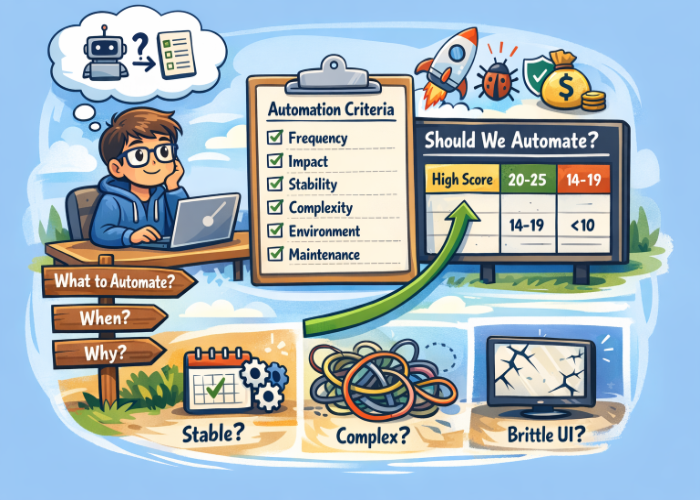
This guide introduces a practical framework QA engineers can use to decide what tests to automate, along with a decision tree and scoring model that help teams prioritize automation efforts effectively.
Why Choosing the Right Tests to Automate Matters
Automation requires ongoing investment. Every automated test introduces:
- Code that must be maintained
- Dependencies on environments and data
- Execution time in CI pipelines
When teams automate the wrong tests, they often experience:
- Flaky builds
- Fragile UI tests
- Slow feedback cycles
- High maintenance overhead
Strong automation strategies focus on maximizing long-term value, not maximizing test counts.
The goal is to automate tests that:
- Run frequently
- Protect critical user workflows
- Provide fast, reliable feedback
- Remain stable over time
Automation Decision Tree
The following decision tree helps QA teams quickly evaluate automation candidates.
How to Use This Decision Tree
QA engineers can use this model during:
- Sprint planning
- Test case design
- Automation backlog grooming
If a test fails multiple decision points, it is usually better suited for manual execution or exploratory testing.
The QA Automation Decision Framework
Before automating a test, QA engineers should evaluate it across five key dimensions. Together, the following factors help determine whether automation will provide a meaningful return on investment:
1. Execution Frequency
The more frequently a test runs, the greater the benefit of automation.
Strong candidates include:
- Regression tests
- Smoke tests
- CI pipeline validations
- API contract checks
Tests executed on every build or deployment typically deliver the highest automation ROI.
2. Business and User Impact
Automation should protect the most critical parts of the product.
Examples of high-impact workflows:
- Authentication and login
- Payment processing
- Account creation
- Data integrity operations
- Core product workflows
If these areas fail, the impact on users and the business can be significant.
3. Feature Stability
Automating unstable features often leads to brittle tests.
Avoid automation when:
- UI elements are frequently redesigned
- Requirements are still evolving
- Features are experimental
It is usually better to wait until the feature stabilizes before investing in automation.
4. Test Determinism
A strong automation candidate should produce predictable results.
Good automated tests are:
- Deterministic (same input produces same output)
- Scriptable
- Observable with clear pass/fail conditions
Tests that require human interpretation or visual judgment are typically poor candidates for automation.
5. Maintenance Cost
Every automated test must be maintained over time.
Tests that are expensive to maintain often include:
- Highly dynamic UI workflows
- Complex environment dependencies
- Multi-system integration setups
Automation should reduce effort—not create long-term maintenance burdens.
Aligning Automation with the Test Pyramid
A strong QA automation strategy also respects the test pyramid.
Key Principles
Unit and API tests should make up the majority of automation:
When deciding what tests to automate, QA teams should first look for opportunities at the unit or API layer. These tests run quickly, are easier to maintain, and are less likely to break due to UI changes. If a feature’s behavior can be validated through an API call or service-level test, it is usually a better automation candidate than testing the same behavior through the UI. Prioritizing automation at this level allows teams to run large numbers of tests in every build and receive rapid feedback when something fails.
Choose Integration test scenarios where multiple services, systems, or data flows must work together correctly:
Integration tests are valuable automation candidates when the risk lies in how different parts of the system interact. For example, a workflow might depend on an API calling another service, writing data to a database, or triggering a downstream process. These interactions are common sources of defects. When deciding what to automate, QA engineers should prioritize integration tests for scenarios where multiple services, systems, or data flows must work together correctly. Automating these interactions helps detect issues that unit tests alone may not catch.
Choose UI tests that focus on critical end-to-end workflows.
UI automation should be used selectively for high-value user journeys that validate the system from the user’s perspective. When deciding what UI tests to automate, focus on workflows that are essential to the product, such as login, account creation, or completing a transaction. These tests confirm that the full stack—from the interface to backend services—works together as expected. Less critical UI scenarios can often be covered more efficiently through API or integration tests.
Over-reliance on UI automation often leads to slow and fragile pipelines.
UI tests typically run slower and are more sensitive to interface changes than lower-level tests. If too many tests are automated at the UI level, test pipelines can become slow and difficult to maintain. When deciding what to automate, QA teams should avoid automating every UI scenario and instead prioritize a smaller set of critical workflows. Keeping most automation at the unit and API levels helps maintain faster feedback cycles and more stable test suites.
A Simple Automation Scoring Model
QA teams often use this simple scoring model to evaluate potential automation candidates.
| Criterion | Score 1 | Score 5 |
|---|---|---|
| Frequency | Rarely executed | Runs every build |
| Business Impact | Low impact | Mission critical |
| Stability | Frequently changing | Very stable |
| Determinism | Hard to automate | Fully deterministic |
| Maintenance Cost | High cost | Low cost |
Interpreting the Score
The table below shows the two ends of the scoring scale. Scores of 2–4 represent intermediate values between these extremes, allowing teams to estimate how strongly each criterion applies to a particular test.
| Score | Recommendation |
|---|---|
| 20–25 | Automate immediately |
| 14–19 | Strong candidate |
| 10–13 | Consider partial automation |
| Below 10 | Keep manual |
This method helps QA teams make consistent and objective automation decisions.
Weighted Automation Scoring Model
For many QA Teams, some criteria have a greater influence on automation value than others. A weighted scoring model reflects this by assigning higher importance to factors like business impact and execution frequency.
Each criterion is scored from 1–5, then multiplied by its weight to produce a weighted score. The total score helps prioritize which tests should be automated first.
| Criterion | Description | Weight | Score (1–5) | Weighted Score |
|---|---|---|---|---|
| Execution Frequency | How often the test is executed | 3 | 1–5 | Score × 3 |
| Business Impact | Risk to users or the business if the feature fails | 3 | 1–5 | Score × 3 |
| Feature Stability | How stable the feature or interface is | 2 | 1–5 | Score × 2 |
| Determinism | How reliably the test can produce consistent results | 2 | 1–5 | Score × 2 |
| Maintenance Cost | Expected long-term maintenance effort | 2 | 1–5 | Score × 2 |
Example Weighted Score Calculation
| Criterion | Score | Weight | Weighted Score |
|---|---|---|---|
| Execution Frequency | 5 | 3 | 15 |
| Business Impact | 4 | 3 | 12 |
| Feature Stability | 4 | 2 | 8 |
| Determinism | 5 | 2 | 10 |
| Maintenance Cost | 3 | 2 | 6 |
| Total | 51 |
Interpreting the Weighted Score
This weighted approach helps QA teams prioritize automation efforts more effectively, ensuring that automation work focuses on tests that deliver the highest value and risk reduction.
| Total Score | Recommendation |
|---|---|
| 45+ | High priority for automation |
| 30–44 | Good candidate for automation |
| 20–29 | Consider partial or lower-priority automation |
| Below 20 | Keep manual for now |
Common Automation Mistakes QA Teams Make
Automating Too Early
Automating unstable features leads to constant test failures and wasted effort.
Automating Everything
Some tests are better suited for manual or exploratory testing.
Ignoring Maintenance Costs
Automation that requires constant repair can become a liability.
Overusing UI Automation
UI tests are valuable but should be used sparingly and strategically.
Practical Starting Points for QA Engineers
If you’re building or expanding an automation suite, start with:
- High-value regression tests
- Smoke tests in CI pipelines
- Critical user workflows
- API-level validations
- Stable, deterministic scenarios
These tests usually provide the fastest return on automation investment.
Conclusion
Effective test automation is not about achieving 100% automation coverage. It is about strategically selecting the tests that deliver the greatest long-term value.
By evaluating test candidates based on:
- Execution frequency
- Business impact
- Feature stability
- Determinism
- Maintenance cost
QA engineers can build automation suites that are reliable, scalable, and sustainable.
Thoughtful automation leads to faster feedback, more confident releases, and stronger software quality.
FAQ
Should QA teams aim for 100% automation?
No. Some tests require human judgment or exploratory investigation and are better executed manually.
When is UI automation appropriate?
UI automation is most valuable for critical end-to-end workflows that validate the full user experience.
What tests should be automated first?
Start with:
- Regression tests
- Smoke tests
- High-risk workflows
- API-level validations
These typically deliver the fastest return.
How often should automation suites be reviewed?
Automation suites should be reviewed regularly—ideally every sprint—to remove flaky tests, update outdated scenarios, and reassess priorities.





🗨️ Reader Comments