


Shift-Left Testing in DevOps: A Beginner’s Guide to Preventing Defects Early
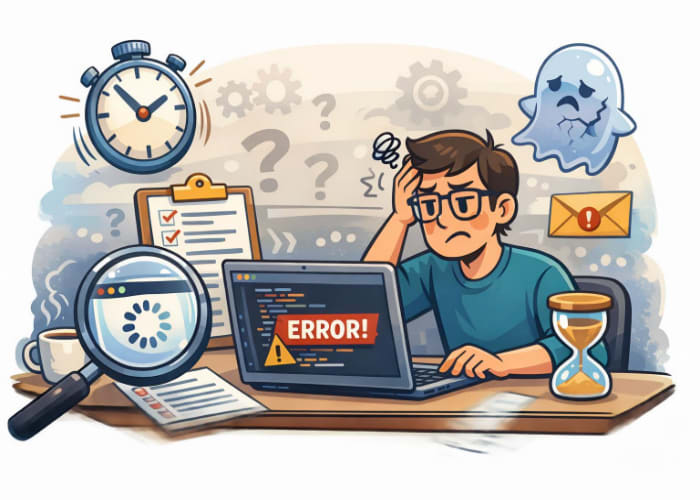
Flaky tests are one of the biggest frustrations for new automation testers. One day your script passes, the next day it fails — even though nothing changed. Most of the time, the culprit isn’t Selenium, your code, or the application. It’s timing.
Modern web applications are dynamic. Elements load asynchronously, animations delay interactions, and network conditions vary. If your script tries to click, type, or assert something before the browser is ready, your test becomes unreliable.
This is where waits come in. Understanding waits is one of the most important skills for beginner and intermediate QA testers who want to write stable, trustworthy automation.
🌟 Why Waits Matter
Selenium executes commands much faster than a real user. Without waits, Selenium may:
- Try to click an element before it appears
- Assert text before the page finishes loading
- Interact with elements still covered by loaders or animations
- Fail because the DOM updated a split second later
Waits help your script pause intelligently until the browser is ready — not too early, not too late.
🧠 Types of Waits in Selenium
Selenium provides three main types of waits:
- Implicit Waits
- Explicit Waits
- Fluent Waits
Each has a purpose, and knowing when to use which one is the key to eliminating flakiness.
1️⃣ Implicit Waits
Implicit waits tell Selenium:
“Whenever you try to find an element, keep trying for X seconds before failing.”
✔️ Good for:
- Simple scripts
- Pages with predictable load times
❌ Not good for:
- Complex, dynamic applications
- Waiting for specific conditions (visibility, clickability, etc.)
Example (Java):
driver.manage().timeouts().implicitlyWait(Duration.ofSeconds(10));
2️⃣ Explicit Waits
Explicit waits are the backbone of stable Selenium automation. They allow you to wait for specific conditions, not just time.
Instead of saying “wait 10 seconds,” you say:
“Wait up to 10 seconds until this element is visible/clickable/present.”
This makes your tests faster and far more reliable.
✔️ Good for:
- Dynamic applications
- Elements that appear/disappear
- Waiting for conditions like visibility, clickability, text, alerts, frames
❌ Not good for:
- Replacing all waits everywhere (overuse can slow tests)
Example (Java):
WebDriverWait wait = new WebDriverWait(driver, Duration.ofSeconds(10));
WebElement button = wait.until(ExpectedConditions.elementToBeClickable(By.id("submit")));
button.click();
3️⃣ Fluent Waits
Fluent waits are a more customizable version of explicit waits. They let you define:
- Maximum wait time
- Polling frequency
- Exceptions to ignore
This is useful when dealing with elements that appear unpredictably or when the DOM is unstable.
Example (Java):
Wait<WebDriver> wait = new FluentWait<>(driver)
        .withTimeout(Duration.ofSeconds(20))
        .pollingEvery(Duration.ofMillis(500))
        .ignoring(NoSuchElementException.class);

WebElement element = wait.until(driver -> driver.findElement(By.id("dynamic")));
🧩 Why Tests Become Flaky Without Proper Waits
Flakiness usually comes from racing the browser. Here are the most common timing issues:
🔹 1. Element not yet visible
The element exists in the DOM but isn’t visible.
Use: visibilityOfElementLocated
🔹 2. Element not clickable
A loader or overlay is covering it.
Use: elementToBeClickable
🔹 3. DOM updated after you located the element
You get a StaleElementReferenceException.
Use: refreshed(ExpectedConditions...)
🔹 4. AJAX calls still running
The page looks ready, but data hasn’t loaded yet.
Use: presenceOfElementLocated
🔹 5. Animations still running
Buttons slide, fade, or expand before becoming stable.
Use: elementToBeClickable or a custom JS wait
When you match the right wait to the right condition, flakiness drops dramatically.
🛠️ Practical Examples: Choosing the Right Wait
| Scenario | Best Wait | Why |
|---|---|---|
| Button appears after AJAX | visibilityOfElementLocated |
Ensures element is visible before clicking |
| Loader disappears | invisibilityOfElementLocated |
Prevents clicking through overlays |
| Text updates dynamically | textToBePresentInElement |
Avoids stale assertions |
| Element becomes enabled | elementToBeClickable |
Ensures it’s interactable |
| Table rows load slowly | presenceOfAllElementsLocatedBy |
Waits for DOM population |
🧪 Real‑World Example: Fixing a Flaky Test
Imagine this test:
driver.findElement(By.id("login")).click();
driver.findElement(By.id("username")).sendKeys("CAMS");
Sometimes it fails because the username field isn’t ready yet.
Fix with explicit wait:
WebDriverWait wait = new WebDriverWait(driver, Duration.ofSeconds(10));
wait.until(ExpectedConditions.visibilityOfElementLocated(By.id("username")))
        .sendKeys("caroline");
Now the test waits intelligently instead of guessing.
🚫 What Not to Do
Many beginners try to fix flakiness with:
Thread.sleep(5000);
This is the automation equivalent of duct tape.
❌ Slows down your suite
❌ Doesn’t adapt to fast/slow environments
❌ Still fails if the element takes longer than expected
Use sleeps only for debugging — never in production tests.
🧭 Best Practices for Eliminating Flaky Tests
✔️ 1. Prefer explicit waits over implicit waits
Implicit waits apply globally and can cause unexpected delays.
✔️ 2. Wait for conditions, not time
Always ask: What exactly am I waiting for?
✔️ 3. Avoid mixing implicit and explicit waits
This can cause unpredictable wait times.
✔️ 4. Use page objects to centralize waits
Your waits become reusable and easier to maintain.
✔️ 5. Test in unstable environments
If your waits survive slow CI pipelines, they’ll survive anything.
🎯 Final Thoughts
Understanding waits is one of the fastest ways to level up as an automation tester. When you stop racing the browser and start synchronizing with it, your tests become:
- More stable
- More predictable
- Easier to debug
- CI‑friendly
- Professional‑grade
Flaky tests aren’t a Selenium problem — they’re a timing problem. And waits are your solution.





🗨️ Reader Comments